Olly Olly Dance AI: CapCut and Motion Prompts
Learn what the Olly Olly Dance is and how to make an AI dance video with CapCut, a motion-reference tool, or one photo in the Follow this dance template.
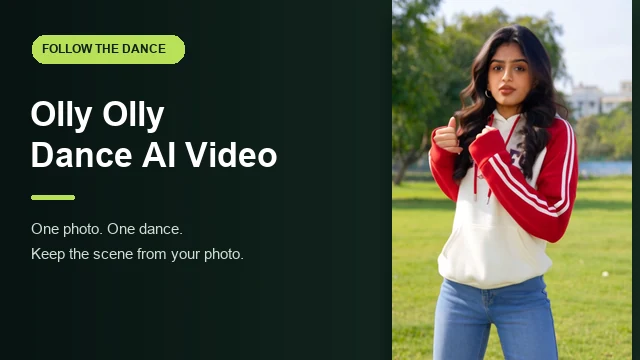
The short answer: Olly Olly Dance is a solo routine with side-to-side bounces, chest-level fist pumps, finger-point gestures, a brief exit from view around four seconds, and a return about a second later. You can look for a matching CapCut template first. A motion-reference tool needs the dance clip and a character photo. The template here uses one full-body photo, follows the 15-second dance, and keeps the setting from your photo. Give the person room to move so the exit-and-return fits the scene.
What is the Olly Olly Dance?
The dance is built around a playful sequence of gestures and a sudden dash out of view. The performer bounces from side to side, pumps both fists near the chest, points toward the camera, opens the arms, and moves through a series of turns and steps. Around the fourth second, the performer briefly leaves the frame and returns about a second later, then continues the routine with wider arm gestures and a closer move toward the camera. Some versions use the phrase “How fast I leave” to frame that exit as the punchline. “Olly Olly” and “Ollie Ollie” also appear as alternate spellings.
The selected reference is the 15-second kitchen performance posted by TikTok creator @j.xrdan1 on October 27, 2026. In the creator’s own caption, “DC:me!” credits the choreography to them. The kitchen belongs to that reference clip. In the template here, the movement comes from the video while the background comes from your uploaded photo.
What to prepare
Use one photo with one person visible from head to toe. Keep the arms and legs clear, and choose a setting with enough open space around the person for the larger steps and the brief run out of view. A tight portrait crop or a cluttered background gives the movement less room to read.
The examples below show the exact input photo and a frame from the generated Olly Olly Dance sample. The result keeps the photo’s outdoor setting. In the middle of the sample, the performer briefly leaves the frame and returns, so check that the background you choose can accommodate that movement.
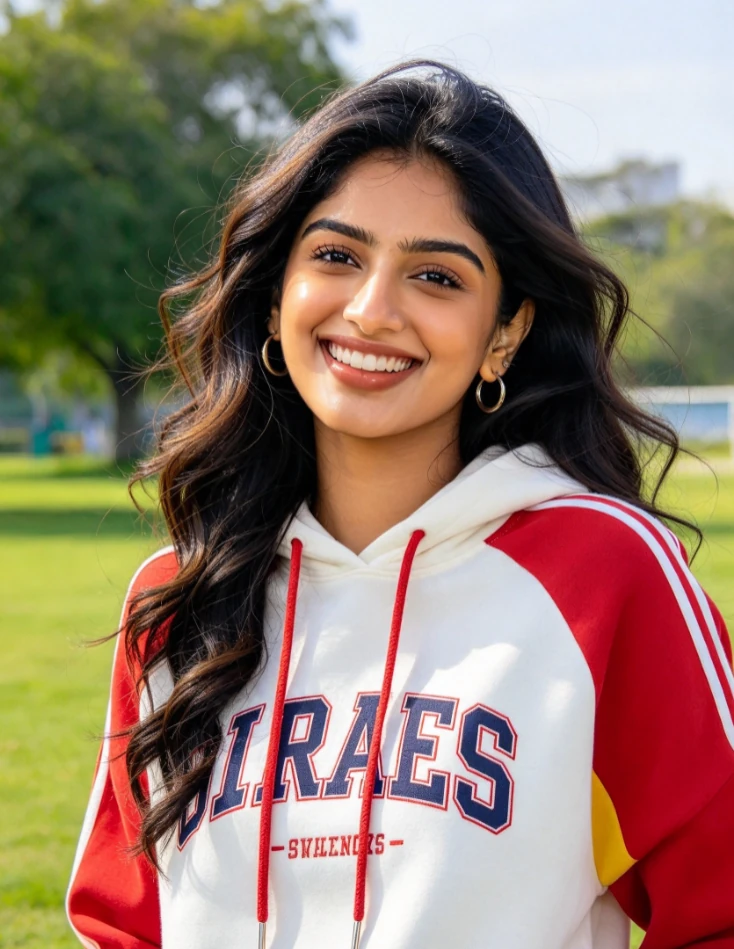
The uploaded photo supplies the performer, clothing, setting, and light.
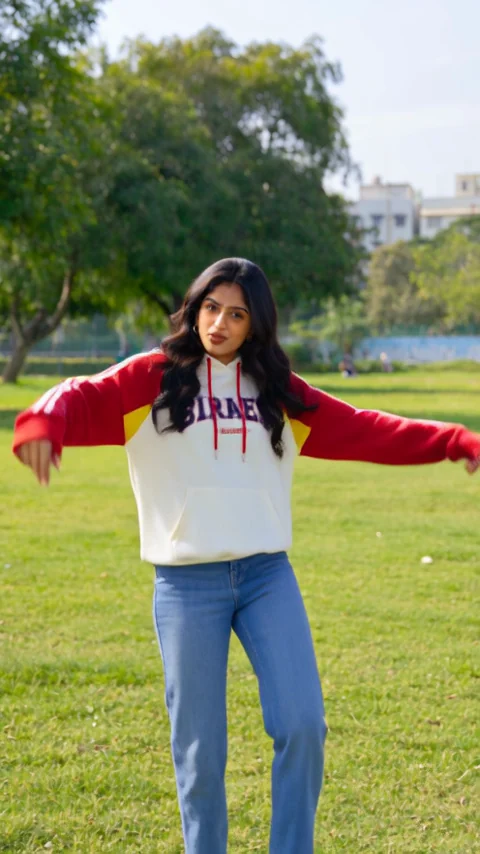
Generated sample: the performer returns to the photo’s open outdoor setting.
Method 1: look for a CapCut template
Some TikTok posts show CapCut · Try this template beneath the video. If the Olly Olly Dance post you find has that label, tap it, choose Use template in CapCut, then continue in CapCut. When the flow shows Use AI template, check the displayed credit amount, choose the requested character photo, and tap Next.
You can also search inside CapCut:
- Open Template and search Olly Olly Dance or Olly Olly.
- Preview the results and choose one whose movement matches the dance you want.
- Use the template and check X clip to be replaced. If X is 2, prepare two media items in the formats the template asks for.
- If the result uses Use AI template, check its credit amount before selecting the character photo and continuing.
Search results may include regular edits as well as AI character templates. Preview the result and follow its own replacement prompts. The requested count refers to media items and does not automatically indicate how many people appear in the result.
Method 2: use a motion-reference video tool
In Kling AI, open Motion Control and upload your full-body photo as the character image and the Olly dance clip as the motion reference. Specify in the prompt that the setting and lighting come from your photo. Keep the reference’s action order while leaving out its kitchen details.
Treat these ranges as approximate action phases, not edit points:
| Approximate time | Movement to describe |
|---|---|
| 0–3.5 seconds | Face the camera, bounce, pump the fists near the chest, and add the finger-point gestures. |
| 3.5–5.2 seconds | Open the arms and lean to the side, briefly run out of frame, then return to view. |
| 5.2–8 seconds | Step back into the wider view, open the arms, and continue the side-to-side movement. |
| 8–12 seconds | Move toward the camera, continue chest-level gestures, step back, then turn and raise an arm. |
| 12–15 seconds | Continue the bouncing steps and arm gestures, ending with a closer move toward the camera. |
Upload the full-body photo and the dance clip. Replace @photo1 and @video with the attachment names shown by your tool, then paste this prompt:
Person and setting: use the person, clothing, background, and lighting from @photo1.
Movement reference: use @video for the Olly Olly Dance movement and its timing.
Framing: vertical 9:16, one performer, full body visible, steady camera, with open space around the performer.

0–3.5 seconds: face the camera, bounce, pump both fists near the chest, and make the finger-point gestures in the order shown in @video.
3.5–5.2 seconds: open the arms, lean to the side, briefly run out of frame, then return to view.
5.2–8 seconds: step back into the wider view, open the arms, and continue the side-to-side movement.
8–12 seconds: move toward the camera, continue chest-level gestures, step back, then turn and raise an arm.
12–15 seconds: continue the bouncing steps and arm gestures, ending with a closer move toward the camera.

Keep the setting and lighting from @photo1 throughout. Use @video for the dance movement and timing. Do not carry over the kitchen or background objects from @video.
If your tool can generate the full 15 seconds, use the prompt as one request. If it has a shorter clip limit, split around the action phases. Repeat the person, photo-setting, and framing instructions in each prompt, then arrange the clips in order and trim repeated movement at the joins.
Method 3: follow the dance with the template here
- Open the Olly Olly Dance template.
- Upload one full-body photo of one person. The photo supplies the setting, so leave room on either side for the sideways steps.
- Choose Follow this dance. The sample includes the beat from the dance reference. For a silent video, select No song.
- Check the quote and generate. The 15-second dance costs 750 credits at 480p. Changing the resolution updates the quote. Muting the video keeps the same price.
- Preview the finished dance in Your videos and download the vertical MP4.
Which route should you use?
| Route | Steps and control | What to check | Cost | Best fit |
|---|---|---|---|---|
| CapCut | Preview a matching result, use it, and replace the requested media. | Confirm the preview shows this dance and check how many items to replace. | An AI template shows its credit cost on Use AI template. | You find a CapCut result with the same choreography. |
| Motion-reference tool | Upload one photo and the clip, then guide the scene and movements with a prompt. | Keep the photo as the scene source and leave space for the brief exit and return. | Depends on the tool and generation settings. | You want to adjust the prompt or framing. |
| Template here | Upload one full-body photo, choose Follow this dance, and generate. | The dance is fixed; the photo supplies the setting. | 750 credits for 15 seconds at 480p. | You want the prepared routine and a quote before generating. |
CapCut is a direct option when its preview matches the dance. A motion-reference tool gives you more room to adjust the prompt and framing, but you need to set the photo as the scene source. The reference guides the dance while your photo supplies the person and scene, with a quote shown before generation.
If the movement or scene looks off
- The performer is cut off before the run: start with a full-body photo and a setting with open space around the subject.
- The result uses the reference kitchen: in a general tool, tell it to use the photo for the setting and lighting, and remove the reference clip’s kitchen description.
- The wrong dance appears: check that the selected reference is the solo Olly Olly routine, then follow the same order of gestures and the exit-and-return.
- A CapCut result has different movement: check its preview before generating and confirm that it is the matching dance template.
FAQ
Does the template use the kitchen from the dance video?
No. The uploaded photo supplies the setting. The reference video supplies the dance movement and timing.
Can I make the generated video silent?
Yes. Select No song before generating to remove all sound. This does not change the credit quote.
Sources
- TikTok, @j.xrdan1, “really? (DC:me!)”, posted October 27, 2026.
- Kling AI, Kling Motion Control User Guide.
Make an Olly Olly Dance AI video
Add one full-body photo, follow the dance, and check the quote before generating.