
Burning Bridge CapCut Template vs AI Apps
Find a Burning Bridge CapCut template by its preview, compare AI video routes, and choose between a two-photo party performance and a new rap from one photo.
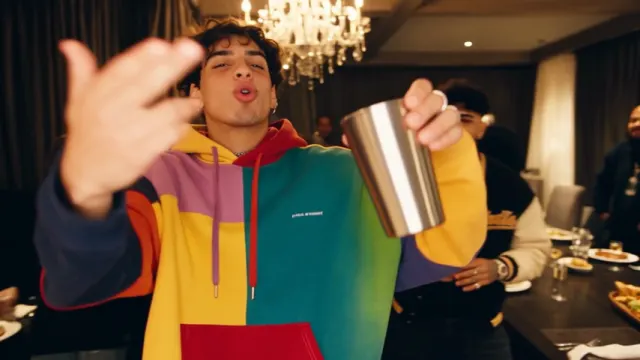
The short answer: To make a Burning Bridge party video, find a CapCut template you like and replace the requested media. AI character templates generate performances from character photos. General AI video tools let you plan a scene yourself or transform a reference clip.
The trend is usually called Burning Bridges, after Drake's song and music video. This guide compares CapCut templates and AI video workflows; for the trend's origin, read what the Burning Bridge AI rap video is.
What a Burning Bridge CapCut template provides
Editing templates arrange photos or video clips in a preset sequence; AI character templates generate performances from character photos. Preview the party setting, movements and foreground/background roles, then choose the version you want. After choosing to use the template, follow the instructions for each media position.
How to use a CapCut template
- Open Template and search. Search for Burning Bridges or Burning Bridge.
- Choose a result. Check the preview, then tap Use template.
- Check the replacement count. If CapCut shows “X clip to be replaced,” X is the number of items that template asks you to replace. The selected template determines the count and whether each item should be a photo or video.
- Choose the media. Select each photo or clip as CapCut prompts, then review and export the edit.
Some TikTok videos show CapCut · Try this template. Tap the label and choose Use template in CapCut. For an AI template, tap Use AI template, select the character photos and tap Next. The credit cost appears on the Use AI template button.
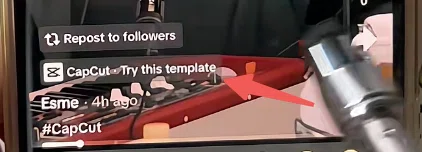
TikTok posts with this label open the linked template in CapCut.
When editing is enough, and when you need generation
If you already have the party performance, an editor can trim it, add text and reframe it. A matching CapCut template can supply its own transitions and layout; choose the one whose preview and replacement slots fit your clip.
If you have a portrait and want a moving party performance, choose a linked AI template when one is available, or use a video-generation workflow. In the TikTok-linked AI template flow above, CapCut asks for character photos and shows the credit cost before you continue.
Listen to the clip before adding another soundtrack. If the original audio is already there, a second track can play over it.
What general AI video apps need
Choose a reference-video workflow when you want a new cast to follow an existing performance. It starts with a performance clip and reference photos. Choose a new-scene workflow when you want a different party or action; it starts with a character photo and a scene description.
For this party scene, decide who leads in the foreground and whether a second person should appear behind them. Follow the chosen tool's input prompts to assign the photos. Describe the close camera, chandelier room, metal cup or crowd when those details matter to your version.
AI apps for the two workflows
- Higgsfield Genjutsu transforms an existing video with Motion Transfer or Object Swap and reference images.
- Kling AI Motion Control pairs a character image with a motion video to transfer movement.
- Dreamina has a Burning Bridges prompt guide for creating a new chandelier-lit party scene from a portrait and a prompt.
Before generating, match the app's required inputs, duration, frame shape and sound controls to the clip you want.
Keep the party readable when changing the frame
The fixed performance discussed below is landscape, 16:9. A vertical edit can keep the full image inside a taller canvas, or crop into part of it. These choices show different amounts of the party.
Keeping the full frame preserves both sides of the room but makes the image smaller on a vertical screen. Cropping fills more of that screen, while potentially removing the background performer or a hand reaching toward the lens. Check the moving clip: a crop that works on the opening frame may cut off a gesture later.
Decide which person and action must remain visible before exporting. If both performers matter, follow both through the entire cut. Reframing a landscape file is an editing decision; it does not create extra room beyond the captured frame.
Choose by what you already have
- You already have a party video. Use an editor or a matching CapCut template for the finish; you do not need to generate the same shot again just to add captions.
- You want new people following a reference performance. Check a video-transformation workflow and how it assigns the foreground and background roles.
- You want a new topic or a different party. Choose a generative mode with the scene and audio controls you need.
- You only have one group photo. Check whether the selected mode accepts it or needs separate subject images; prepare crops only if that suits its input instructions.
- You want to browse remakes. Search “Burning Bridges AI party” on TikTok.
Make a Burning Bridge party performance
Rap AI Video's Burning Bridge template provides a fixed two-role performance and a separate one-photo option for a new rap.
- Open the template and inspect the preview. Check the landscape party scene and the two roles.
- Choose the mode. Perform this rap uses two photos: foreground first, background second. Create your rap uses one foreground photo and your topic.
- Add clear photos in the labeled roles. Decide who should lead before uploading. Tick No song in Perform this rap if you want the clip silent.
- Review the quote and generate. Sign in when ready; a new rap's duration follows its selected settings.
- Preview and download the MP4. Check the people, gestures, sound and final frame.
Perform this rap costs 2,000 credits for a 20-second, 16:9 video at 720p. Create your rap starts at 160 credits for 10 seconds at 720p with the lowest-cost first-frame model. See current packs on the pricing page.
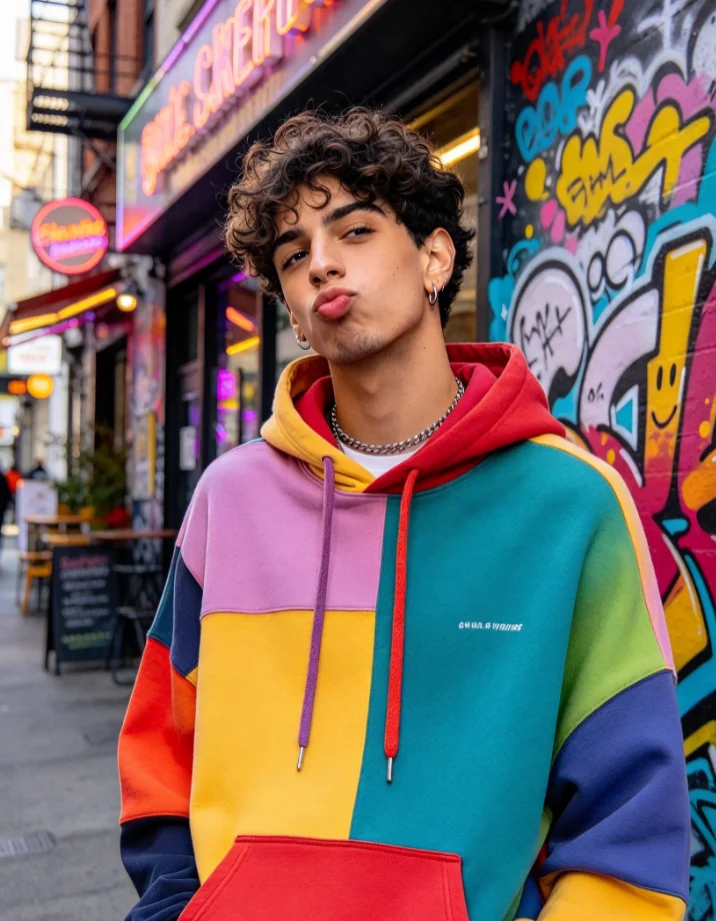
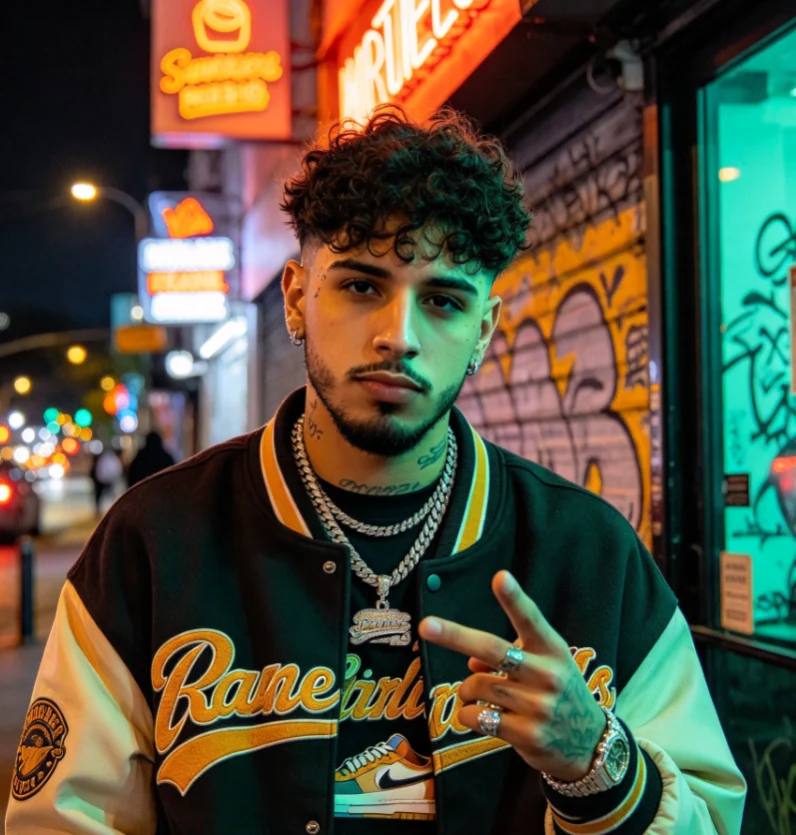
The template page's example photos, in foreground and background order.
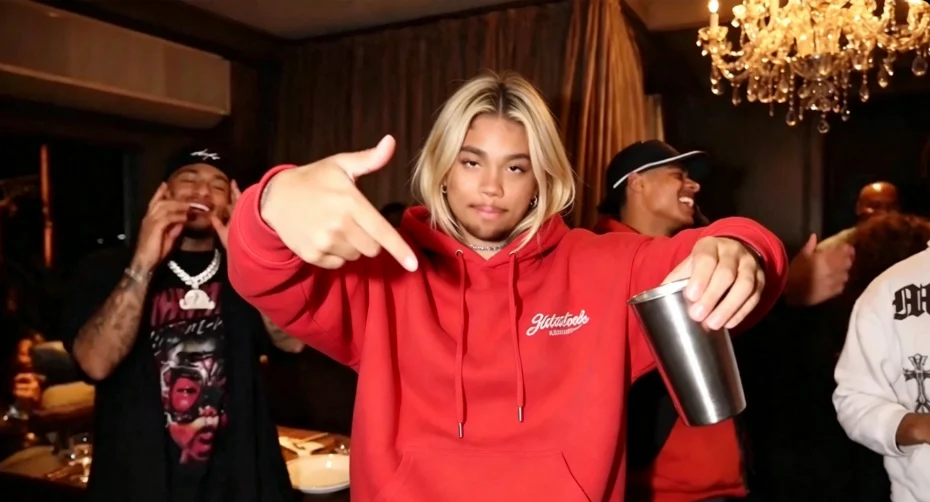
An existing Create your rap scene still. This mode takes one foreground photo.
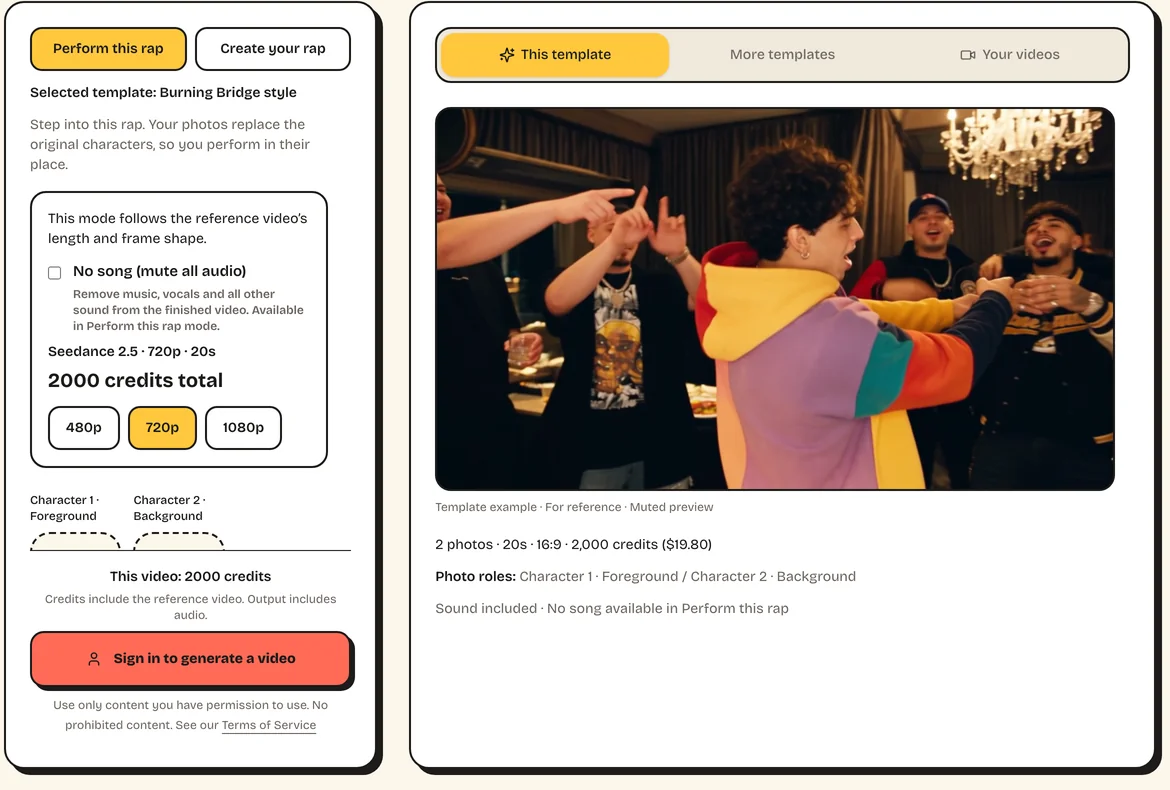
The Burning Bridge template page: the foreground and background roles, the two modes, No song and the 2,000-credit quote for 20 seconds at 720p.
Product guides: CapCut's template pages and help on templates and export; Higgsfield Genjutsu; Kling AI Motion Control; Dreamina's Burning Bridges party prompt guide.
Make your Burning Bridge video
Use two photos for the template performance, or one photo and a topic for a new rap.