Make a 2020 President Candidate AI Rap Video
Make the 2020 President Candidate meme from one photo. Find the right CapCut template, plan the parking lot and podium shots, or set up a new rap.
The short answer: Use one adult photo. If a TikTok version of the 2020 President Candidate meme has a CapCut template attached, open it and check whether it accepts a character photo. A regular edit template may ask for clips you've already made. To build the scene yourself, keep the same performer in the parking lot and at the podium, and use a hard cut to land the joke.
Where the 2020 President Candidate meme came from
The name comes from a line in Roddy Ricch’s “The Box.” He delivers it at a podium in the music video. TikTok users first lip-synced the line, then turned it into an edit meme again in 2025; “candidih” and “canadih” are joke spellings from those edits. They're useful search terms, but a result under either spelling may show just the podium, not the three-part AI version.
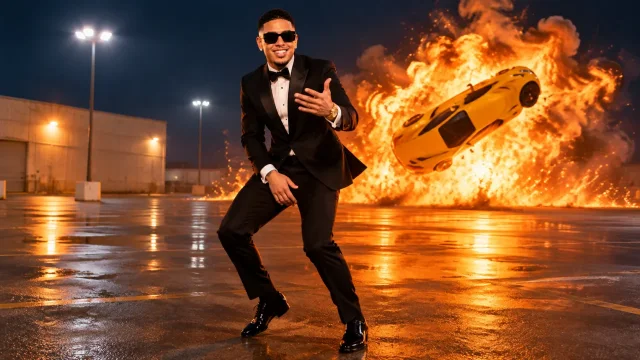
In that longer version, the performer dances in a floodlit parking lot. A yellow car flips behind them and they keep going. Then the clip cuts to one microphone and a very serious delivery. The car stunt doesn't need an explanation: the change from chaos to deadpan is the point.
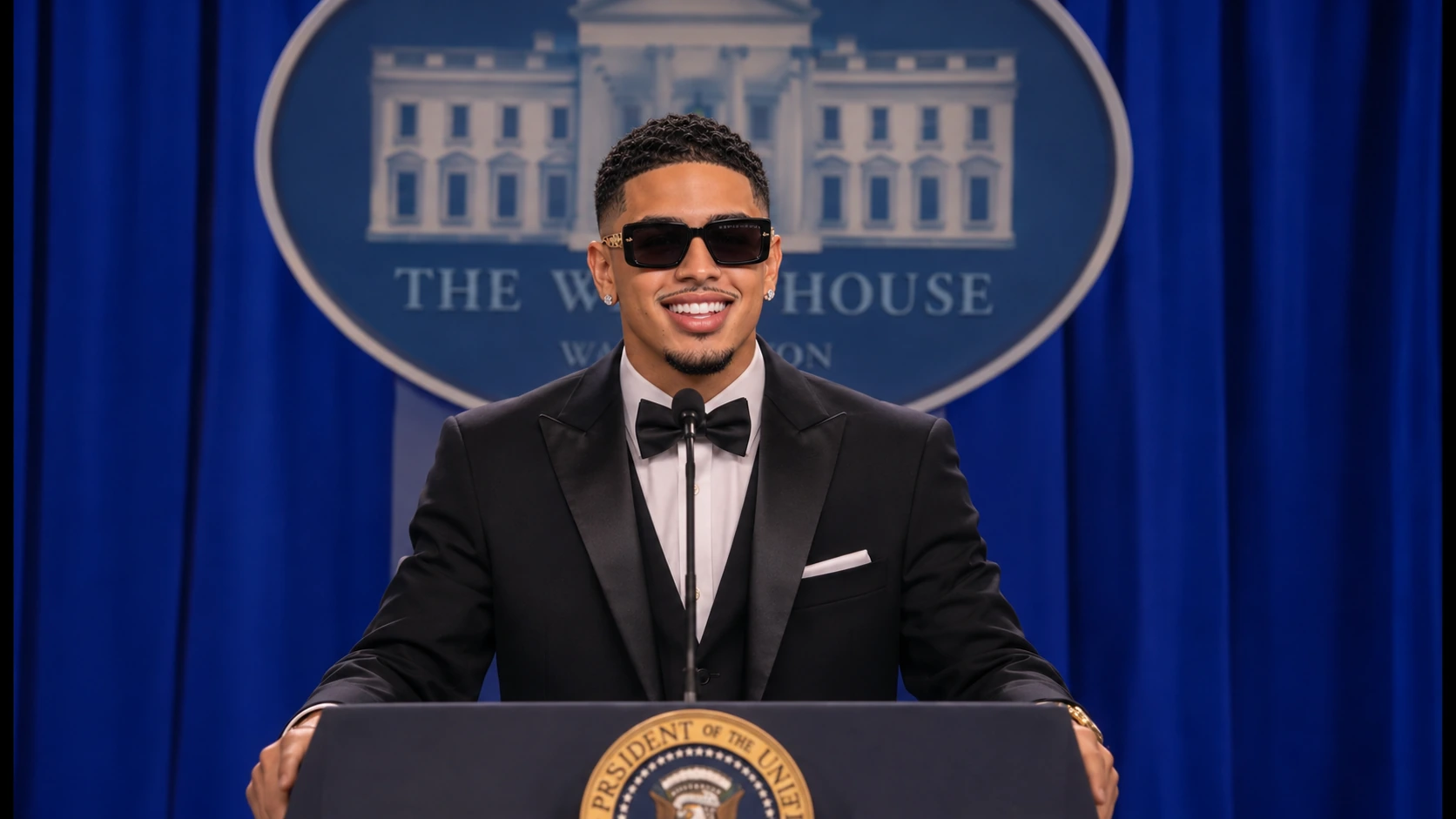
A generated example of replacing the performer at the podium.
What to prepare before you start
Pick one clear photo of yourself or an adult who's given permission. Use a front-facing, evenly lit photo so there's no doubt who should be in both locations. A head-and-shoulders photo suits the podium shot; choose a full-body photo if you want the dance shot to show the same trousers and shoes.
If you want to drive the movement from a video, choose one you're allowed to use that includes the parking lot and the podium. A still of the podium can guide the framing and set, but it can't provide the dance or tell a model when to cut. For a from-scratch version, you'll use the shot plan below instead.
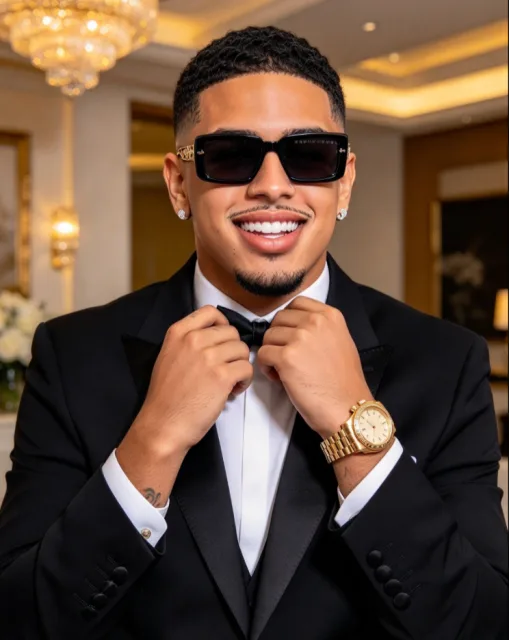
Example wardrobe photo. For your own input, leave off dark glasses so the eyes are visible; use a full-body shot for the wide dance.
Method 1: Find the 2020 President Candidate CapCut template
- Search TikTok for 2020 President Candidate or The Box podium meme. Look for the version with the night parking lot, car flip and podium in its preview.
- If the post shows CapCut · Try this template, tap it and choose Use template in CapCut. Without that label, search 2020 President Candidate in CapCut's Template tab and watch the result before choosing it.
- If you see Use AI template, check the credits shown on the button, choose the requested character photo and tap Next. If it instead asks for X clip to be replaced, follow the requested media types. That number counts media slots, not people.
- Preview the cut to the podium before exporting. If it only inserts your photo into an existing montage, you've picked an editing template; switch to a character template if you want the photo's subject to perform.
Watch the podium shot as well as the thumbnail. A regular edit may show photos sliding, zooming or swapping on the beat. It works if you already recorded a performance, but it won't make a still portrait step up to the mic. An AI character template should show a performer in the scene and ask you to select a character photo. If the preview is ambiguous, the requested input is the better clue.
Method 2: Build the three shots with a general AI video tool
Use a video mode that accepts an image for the performer. If it also accepts a video reference and you have a usable clip, attach that for timing. Otherwise describe the following beats. If your tool only does short clips, render the lot and podium separately, using the same photo in both, then cut them together in an editor.
| Beat | Framing and setting | What the performer does | Transition |
|---|---|---|---|
| Parking lot | Full-body view under industrial lights at night | Dances in the foreground, leaving room behind them | Hold the wide view for the car |
| Car flip | Same night lot, with a stylized car stunt behind the performer | Keeps dancing without looking back | Cut directly to the podium |
| Podium | Chest-up, blue curtain, one microphone at a fictional lectern | Stands upright and delivers a deadpan rap line | Hold long enough to finish the line |
Replace @photo1 with the actual attachment name or image reference in your tool. If you supplied a motion reference, use the tool's attachment control rather than pasting the filename as plain text.
Use @photo1 for the sole adult performer’s look and outfit in every shot.

Start with a wide, full-body view in a floodlit industrial parking lot at night. The performer dances in the foreground. A stylized yellow car stunt happens well behind them; the performer keeps moving and barely reacts.

Cut directly to a chest-up view at a fictional press podium. Use a blue curtain, a lectern and one microphone. The same performer stands upright with hands low and delivers a short, original rap line with the composure of a press statement. End on the podium shot.
Keep the podium line to one short sentence. If you want two, make the first the setup and the second just a few words. A long line can run past the end of the shot or crowd out the pause before the punchline. When editing the scenes separately, leave the time for the line in the podium clip rather than stretching the car shot.
Method 3: Use the template in Rap AI Video
You can take over the whole three-shot sequence or make a new performance that starts behind the microphone. Both routes use built-in references, so you don't have to supply a clip.
- Open the 2020 President Candidate template. Choose Swap into the original for the 14-second sequence, or Create your rap to write your own performance at the podium from the reference.
- Upload one photo. A head-and-shoulders portrait suits the podium; show the whole outfit if you're making the wide dance shot.
- Swap into the original outputs a silent video. In Create your rap, enter a topic or a few lines and choose a mood and language. The photo-to-rap guide has examples for writing your prompt.
- Check the model settings and credit pricing, then preview the finished clip and download it.
Which route should you use?
| Route | What you control | What to check before you start |
|---|---|---|
| CapCut | Photos or clips requested by the chosen template | The preview, whether it asks for a character photo, and credits shown for an AI template |
| General AI tool | The parking lot, wardrobe continuity, hard cut and podium performance | Whether the mode takes image or video references; the tool's quote for each generation |
| Rap AI Video | The lead photo and the topic for a new podium rap | Full sequence without sound, or the podium with newly generated vocals |
Fix the setup before trying again
- Your outfit changes at the podium. If you split the scenes, reuse the same photo and outfit description. Don't use a new headshot for the last section.
- The cut loses the joke. Put the podium right after the car shot. Remove the crossfade or extra walking shot between them.
- You got a clip montage rather than a performance. Check whether the CapCut result asked for video slots instead of a character photo. Switch template types before supplying more media.
Two questions before you export
Can I use a single still to match the whole trend? It can set a look, but it doesn't establish motion or cutting points. Use a video reference or describe the parking lot, car and podium as separate beats.
Can I finish the audio in my editor? Yes. Export the clip and add an audio track you have permission to use. Choose the track before fine-trimming if you want the podium cut to land on a particular beat.
Sources
- Roddy Ricch: “The Box” official music video.
- Know Your Meme: “I'm a 2020 President Candidate.”
- CapCut: template and media replacement help.
Make your own 2020 President Candidate video
Start with one photo and a short line for the podium.